🧭 Web Application Testing 101: Quick Guide & Best Practices
Concise, clear, and validated revision notes on Web Application Testing — Types, Tools & Best Practices — practical best practices for beginners and practitioners.
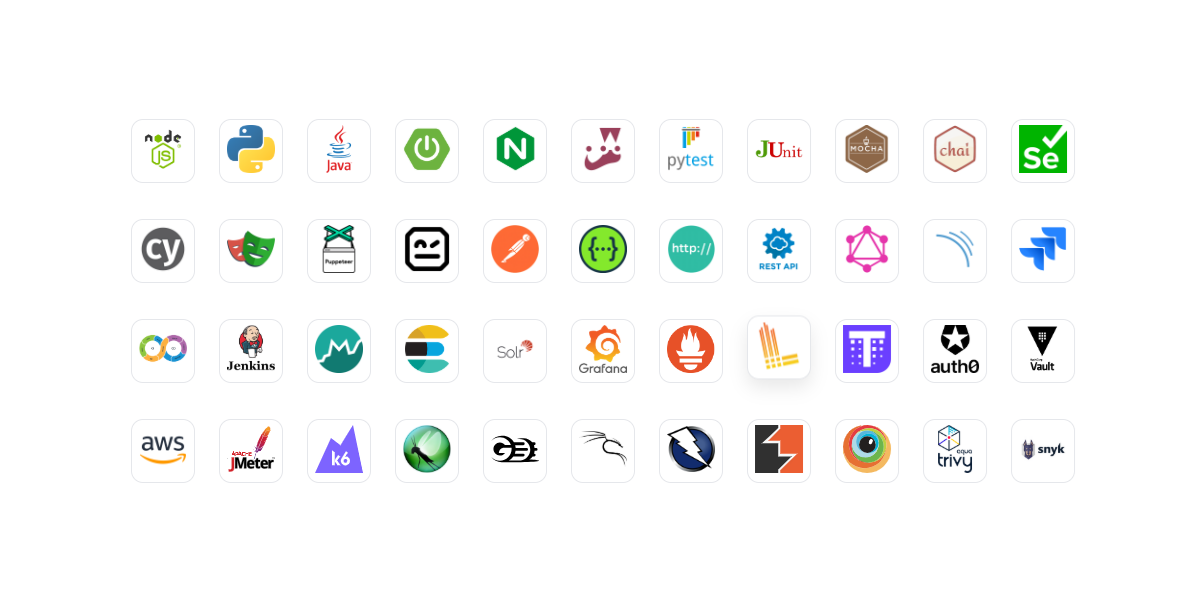
Web Application Testing 101
1. Foundational Concepts
What is Testing in Web Development?
Testing in web development is the systematic process of evaluating web applications to verify they work correctly, perform well, remain secure, and provide a good user experience. Testing validates that software meets specified requirements and identifies defects before users encounter them.
Why Testing is Required
Testing is essential for multiple critical reasons:
- Quality Assurance: Ensures the application functions as intended without bugs
- Reliability: Confirms consistent behavior across different scenarios and environments
- Performance: Validates the application handles expected load and responds quickly
- Security: Identifies vulnerabilities before attackers exploit them
- User Experience: Ensures the application is accessible, usable, and meets user expectations
- Cost Efficiency: Finding bugs early is significantly cheaper than fixing production issues
- Compliance: Meets regulatory and industry standards (WCAG, GDPR, etc.)
Manual vs Automated Testing
Manual Testing involves human testers executing test cases without automation tools. Testers interact with the application like end-users, exploring features and identifying issues.
Automated Testing uses scripts and tools to execute test cases automatically. Tests run repeatedly without human intervention, providing consistent and fast feedback.
| Aspect | Manual Testing | Automated Testing |
|---|---|---|
| Speed | Slow, time-consuming | Fast, repeatable |
| Cost | Lower initial cost, higher long-term | Higher initial cost, lower long-term |
| Best For | Exploratory testing, UX evaluation | Regression, repetitive tasks |
| Human Insight | High (notices UI/UX issues) | Low (only checks programmed scenarios) |
| Maintenance | No maintenance needed | Requires script updates |
Functional vs Non-Functional Testing
Functional Testing verifies that the application performs specific functions correctly. It answers: “Does the feature work as expected?”
Examples: Login works, payment processes correctly, search returns accurate results.
Non-Functional Testing evaluates how well the application performs. It answers: “How well does it work?”
Examples: Page loads in under 2 seconds, supports 10,000 concurrent users, accessible to screen readers.
2. Functional Categorization of All Testing Types
2.1 Functional Testing
Definition: Testing that verifies each function of the application operates according to specified requirements.
Purpose: Ensure business logic, user interactions, and feature workflows function correctly.
What it Checks: Input/output validation, user flows, business rules, data processing.
SDLC Position: Throughout development and before each release.
Unit Testing
Tests individual components or functions in isolation.
- Use Case: Testing a single function that calculates discount percentages
- When: During development, by developers
- Example: Verify
calculateTotal(items)returns correct sum
Integration Testing
Tests how multiple components work together.
- Use Case: Testing if the shopping cart correctly updates the inventory database
- When: After unit testing, before system testing
- Example: Verify API endpoint correctly saves data to database
System Testing
Tests the complete, integrated application as a whole.
- Use Case: Testing the entire e-commerce flow from browsing to order confirmation
- When: After integration testing, before UAT
- Example: Verify complete user journey through the application
End-to-End (E2E) Testing
Tests complete user workflows from start to finish in a production-like environment.
- Use Case: Simulating a user registering, logging in, purchasing, and logging out
- When: Before deployment, in staging environment
- Example: Automated browser testing of critical user paths
Regression Testing
Re-tests existing functionality after code changes to ensure nothing broke.
- Use Case: After bug fixes or new features, verify old features still work
- When: After any code change, continuously
- Example: Re-running all tests after adding a new payment method
Smoke Testing
Quick, shallow tests to verify basic functionality works before deeper testing.
- Use Case: Verify application starts, homepage loads, login works
- When: After deployment, before full test suite
- Example: Check if critical paths are accessible
Sanity Testing
Narrow, focused testing after minor changes to verify specific functionality.
- Use Case: After fixing a button bug, verify only that button works
- When: After small patches or hotfixes
- Example: Test only the modified feature
2.2 Performance Testing
Definition: Testing that evaluates how the application performs under various conditions.
Purpose: Ensure the application is fast, stable, and scalable.
What it Checks: Response times, throughput, resource usage, bottlenecks.
SDLC Position: During development and before major releases.
Load Testing
Tests application behavior under expected user load.
- Use Case: Verify application handles 1,000 concurrent users
- When: Before launch, before traffic spikes
- Example: Simulate typical daily traffic
Stress Testing
Tests application limits by pushing beyond normal capacity.
- Use Case: Find breaking point when the system crashes
- When: To understand system limits
- Example: Keep increasing users until failure
Spike Testing
Tests sudden, dramatic increases in load.
- Use Case: Verify behavior during flash sales or viral events
- When: Before anticipated traffic surges
- Example: Instantly jump from 100 to 10,000 users
Scalability Testing
Tests ability to scale up or down based on demand.
- Use Case: Verify adding servers improves capacity
- When: When planning infrastructure
- Example: Test with increasing resources
Endurance Testing
Tests stability over extended periods.
- Use Case: Verify no memory leaks during 24-hour operation
- When: Before long-running deployments
- Example: Run normal load for days
2.3 Security Testing
Definition: Testing that identifies vulnerabilities and ensures protection against threats.
Purpose: Protect data, prevent unauthorized access, ensure compliance.
What it Checks: Authentication, authorization, data encryption, injection vulnerabilities.
SDLC Position: Throughout development and before deployment.
Vulnerability Scanning
Automated scanning for known security weaknesses.
- Use Case: Identify outdated libraries with CVEs
- When: Regularly, in CI/CD pipeline
- Example: Scan for SQL injection points
Penetration Testing
Simulated attacks by security experts to find vulnerabilities.
- Use Case: Comprehensive security assessment
- When: Periodically, before major releases
- Example: Attempt to breach authentication
SAST (Static Application Security Testing)
Analyzes source code for security vulnerabilities without executing it.
- Use Case: Find hardcoded passwords, insecure functions
- When: During development
- Example: Scan code for security anti-patterns
DAST (Dynamic Application Security Testing)
Tests running application for vulnerabilities.
- Use Case: Find runtime security issues
- When: In staging environment
- Example: Test for XSS, CSRF vulnerabilities
2.4 Accessibility Testing (A11y)
Definition: Testing that ensures applications are usable by people with disabilities.
Purpose: Provide equal access to all users, comply with WCAG standards.
What it Checks: Keyboard navigation, screen reader compatibility, color contrast, semantic HTML.
SDLC Position: Throughout development.
Typical Use Cases:
- Verify all interactive elements are keyboard accessible
- Ensure images have alt text
- Check color contrast meets WCAG AA standards
- Test with screen readers like NVDA or JAWS
2.5 Usability / UX Testing
Definition: Testing that evaluates how easy and pleasant the application is to use.
Purpose: Ensure intuitive design, smooth workflows, positive user experience.
What it Checks: Navigation clarity, task completion rates, user satisfaction.
SDLC Position: Design phase and before major releases.
Typical Use Cases:
- Observe real users completing tasks
- Measure time to complete workflows
- Gather feedback on interface design
- Identify confusing elements
2.6 Cross-Browser & Compatibility Testing
Definition: Testing that ensures consistent behavior across different browsers, devices, and operating systems.
Purpose: Provide uniform experience regardless of user environment.
What it Checks: Rendering, functionality, performance across platforms.
SDLC Position: Before each release.
Typical Use Cases:
- Test on Chrome, Firefox, Safari, Edge
- Verify responsive design on mobile devices
- Check compatibility with different OS versions
- Test on various screen sizes
2.7 API Testing
Definition: Testing that validates API endpoints, data formats, and business logic.
Purpose: Ensure APIs work correctly, handle errors gracefully, and return proper responses.
What it Checks: Request/response formats, status codes, data validation, authentication.
SDLC Position: During backend development.
Typical Use Cases:
- Verify GET request returns correct data
- Test POST request creates resources
- Validate error handling for invalid inputs
- Check authentication and authorization
2.8 Database Testing & Migration Testing
Definition: Testing that validates data integrity, schema changes, and database operations.
Purpose: Ensure data is stored correctly, migrations don’t lose data, queries perform well.
What it Checks: Data accuracy, schema integrity, query performance, migration success.
SDLC Position: During database changes and deployments.
Typical Use Cases:
- Verify data constraints are enforced
- Test database migrations don’t corrupt data
- Validate query performance with large datasets
- Check backup and recovery procedures
2.9 CI/CD & Deployment Testing
Definition: Automated testing within continuous integration and deployment pipelines.
Purpose: Catch issues early, ensure safe deployments, automate quality gates.
What it Checks: Build success, test passage, deployment readiness.
SDLC Position: Continuously, on every code change.
Typical Use Cases:
- Run tests on every commit
- Prevent broken builds from deploying
- Automate pre-deployment checks
- Verify deployment success
2.10 Observability & Monitoring Testing
Definition: Testing that validates logging, metrics collection, and alerting systems.
Purpose: Ensure production issues are detected and diagnosed quickly.
What it Checks: Log completeness, metric accuracy, alert functionality.
SDLC Position: Before and after deployment.
Typical Use Cases:
- Verify errors are logged correctly
- Test alerts trigger on failures
- Validate metrics are collected
- Check log aggregation works
3. Best Tools by Category
Playwright (E2E/UI Functional Testing)
Why It’s the Best: Modern architecture with excellent cross-browser support, fast execution, built-in waiting mechanisms, and auto-wait features that reduce flaky tests.
Linux Installation: npm install -D @playwright/test
Python Connectivity: Yes, via pip install playwright
Advantages:
- Supports Chromium, Firefox, WebKit (Safari)
- Auto-waits for elements, reducing flakiness
- Parallel execution out of the box
- Built-in test generator
- Excellent debugging tools
- Network interception and mocking
Ideal Use Cases:
- E2E testing of web applications
- Cross-browser testing
- Testing SPAs (React, Vue, Angular)
- Automated regression testing
PyTest (Unit Testing - Python)
Why It’s the Best: Simple, powerful, and extensible with excellent fixture support and plugin ecosystem.
Linux Installation: pip install pytest
Python Connectivity: Native Python tool
Advantages:
- Simple syntax with assert statements
- Powerful fixture system
- Extensive plugin ecosystem
- Parameterized testing
- Detailed failure reports
- Works with existing unittest tests
Ideal Use Cases:
- Python unit testing
- Test-driven development (TDD)
- Backend API testing
- Data processing validation
Postman + Newman (API Testing)
Why It’s the Best: Industry-standard with intuitive GUI, comprehensive features, and CLI automation via Newman.
Linux Installation:
- Postman: Download from website or Snap
- Newman:
npm install -g newman
Python Connectivity: Yes, via requests library for similar functionality
Advantages:
- User-friendly interface
- Collection-based test organization
- Environment variables
- Pre-request and test scripts
- Mock servers
- CLI automation with Newman
- Extensive documentation
Ideal Use Cases:
- REST API testing
- API documentation
- Integration testing
- Automated API regression tests
k6 (Performance Testing)
Why It’s the Best: Developer-friendly with JavaScript scripting, accurate metrics, and designed for modern cloud architectures.
Linux Installation: Multiple options via package managers or binary download
Python Connectivity: Limited, but can integrate results
Advantages:
- JavaScript-based test scripts
- Accurate performance metrics
- Small resource footprint
- Cloud and local execution
- Real-time metrics streaming
- Excellent CLI experience
- Grafana integration
Ideal Use Cases:
- Load testing APIs and websites
- Performance regression testing
- Spike and stress testing
- CI/CD performance gates
OWASP ZAP (Security Testing)
Why It’s the Best: Open-source, comprehensive security scanner maintained by OWASP, with both GUI and automation options.
Linux Installation: Available via package managers, Docker, or download
Python Connectivity: Yes, via Python API client
Advantages:
- Active and passive scanning
- Automated security testing
- Extensive vulnerability checks
- Proxy for manual testing
- API for automation
- Regular updates
- Free and open-source
Ideal Use Cases:
- Web application security scanning
- CI/CD security checks
- Penetration testing
- OWASP Top 10 vulnerability detection
Axe Core (Accessibility Testing)
Why It’s the Best: Fast, accurate, and widely adopted with excellent documentation and browser integration.
Linux Installation: npm install axe-core
Python Connectivity: Via Selenium integration with axe-webdriver
Advantages:
- Fast automated accessibility testing
- Integrates with multiple frameworks
- Browser extensions for manual testing
- Follows WCAG standards
- Detailed violation reports
- Zero false positives
- Open-source
Ideal Use Cases:
- Automated accessibility checks
- CI/CD accessibility gates
- WCAG compliance validation
- Quick accessibility audits
UserTesting (Usability Testing)
Why It’s the Best: Provides real user feedback with professional testing services and comprehensive analytics.
Linux Installation: Web-based platform, no installation needed
Python Connectivity: API available for integration
Advantages:
- Real human testers
- Video recordings of sessions
- Demographic targeting
- Quick turnaround
- Qualitative insights
- Professional moderation available
Ideal Use Cases:
- UX research
- Prototype testing
- User journey evaluation
- Design validation
BrowserStack (Cross-Browser Testing)
Why It’s the Best: Comprehensive real device cloud with extensive browser and device coverage.
Linux Installation: Web-based with local testing capability
Python Connectivity: Yes, via Selenium integration
Advantages:
- 3000+ real browsers and devices
- Instant access to latest versions
- Local testing capability
- Screenshot and video recording
- Integration with automation frameworks
- Debugging tools
Ideal Use Cases:
- Cross-browser compatibility testing
- Mobile device testing
- Visual regression testing
- Responsive design validation
GitHub Actions (CI/CD Testing)
Why It’s the Best: Native GitHub integration, generous free tier, and extensive marketplace of actions.
Linux Installation: Cloud-based, configured via YAML files
Python Connectivity: Supports Python environments natively
Advantages:
- Native GitHub integration
- Free for public repositories
- Matrix builds for multiple environments
- Extensive action marketplace
- Secrets management
- Multiple OS support
Ideal Use Cases:
- Automated testing on commits
- Multi-environment testing
- Deployment pipelines
- Scheduled test runs
Percy (Visual Regression Testing)
Why It’s the Best: Smart visual diffing with integration into existing test frameworks and comprehensive review tools.
Linux Installation: npm install @percy/cli
Python Connectivity: Yes, via Percy SDK for Python
Advantages:
- Smart visual diffing
- Cross-browser screenshots
- Responsive testing
- Review and approval workflow
- Integration with test frameworks
- Baseline management
Ideal Use Cases:
- UI regression testing
- Design system validation
- Cross-browser visual checks
- Component library testing
Liquibase (Database Testing & Migration)
Why It’s the Best: Database-agnostic migration tool with excellent version control and rollback capabilities.
Linux Installation: Download JAR or use package managers
Python Connectivity: Can be integrated via subprocess calls
Advantages:
- Database-agnostic
- Version control for schemas
- Rollback capabilities
- Migration tracking
- Multiple formats (SQL, XML, YAML, JSON)
- Diff and comparison tools
Ideal Use Cases:
- Database migrations
- Schema version control
- Multi-environment deployments
- Database testing in CI/CD
Elastic Stack / ELK (Observability & Monitoring)
Why It’s the Best: Comprehensive logging and monitoring solution with powerful search and visualization capabilities.
Linux Installation: Available via package managers or Docker
Python Connectivity: Yes, via official Python clients
Advantages:
- Centralized logging
- Powerful search with Elasticsearch
- Real-time dashboards with Kibana
- Log parsing with Logstash
- Scalable architecture
- Alerting capabilities
Ideal Use Cases:
- Centralized logging
- Performance monitoring
- Security event analysis
- Application debugging
4. Comprehensive Differentiation Tables
4.1 Testing Category Comparison
| Category | Purpose | Strengths | Weaknesses | Best Use Cases |
|---|---|---|---|---|
| Functional | Verify features work correctly | Catches logic errors, validates requirements | Can miss performance issues | Feature development, regression |
| Performance | Ensure speed and scalability | Identifies bottlenecks, validates capacity | Requires infrastructure, complex setup | Pre-launch, capacity planning |
| Security | Find vulnerabilities | Prevents breaches, ensures compliance | Requires expertise, ongoing effort | Before deployment, periodic audits |
| Accessibility | Ensure usability for all | Legal compliance, broader audience | Requires specialized knowledge | Public-facing apps, compliance |
| Usability | Validate user experience | Real user insights, qualitative data | Time-consuming, subjective | New features, redesigns |
| Cross-Browser | Ensure consistency | Catches platform-specific bugs | Resource-intensive, maintenance | Before release, continuous |
| API | Validate backend logic | Fast execution, no UI needed | Doesn’t test user experience | Backend development, integration |
| Database | Ensure data integrity | Prevents data loss, validates schema | Complex setup, environment-specific | Migrations, data-critical apps |
| CI/CD | Automate quality gates | Early detection, consistent checks | Initial setup effort, maintenance | Continuous integration |
| Observability | Monitor production health | Early issue detection, debugging aid | Overhead, requires infrastructure | Production systems |
4.2 Tool SWOT Analysis
Playwright
| Strengths | Weaknesses |
|---|---|
| Modern architecture, fast | Relatively newer (smaller community than Selenium) |
| Excellent auto-waiting | Requires Node.js knowledge |
| Multi-browser support | Learning curve for complex scenarios |
| Built-in debugging tools | Limited IDE support compared to mature tools |
| Opportunities | Threats |
|---|---|
| Growing adoption | Competition from established tools |
| Active development | Browser API changes |
| Strong Microsoft backing | Potential fragmentation |
PyTest
| Strengths | Weaknesses |
|---|---|
| Simple, Pythonic syntax | Python-only |
| Extensive plugin ecosystem | Can be slow with large test suites |
| Excellent fixture system | Parallel execution requires plugin |
| Detailed reports | Configuration can be complex |
| Opportunities | Threats |
|---|---|
| Python’s growing popularity | Competition from unittest |
| AI/ML testing integration | Language-specific limitations |
Postman + Newman
| Strengths | Weaknesses |
|---|---|
| User-friendly GUI | Desktop app can be resource-heavy |
| Comprehensive features | Free tier limitations |
| Great documentation | Collection management complexity |
| Industry standard | GUI and CLI consistency issues |
| Opportunities | Threats |
|---|---|
| API-first development trend | Open-source alternatives (Insomnia) |
| Enterprise features | Cloud dependency concerns |
k6
| Strengths | Weaknesses |
|---|---|
| Developer-friendly scripting | Smaller community than JMeter |
| Accurate metrics | Limited protocol support |
| Low resource usage | Commercial cloud features |
| Modern architecture | Fewer GUI tools |
| Opportunities | Threats |
|---|---|
| Cloud-native testing growth | Competition from established tools |
| Grafana ecosystem | Enterprise support needs |
OWASP ZAP
| Strengths | Weaknesses |
|---|---|
| Free and open-source | Steeper learning curve |
| Comprehensive scanning | Can produce false positives |
| Regular updates | Resource-intensive |
| OWASP backing | GUI can be overwhelming |
| Opportunities | Threats |
|---|---|
| DevSecOps adoption | Commercial scanner competition |
| Security awareness growth | Evolving threat landscape |
Axe Core
| Strengths | Weaknesses |
|---|---|
| Fast and accurate | Automated tools catch ~30-40% of issues |
| Zero false positives | Manual testing still needed |
| Easy integration | Limited to web accessibility |
| Open-source | Requires WCAG knowledge |
| Opportunities | Threats |
|---|---|
| Accessibility regulations | Competing solutions |
| Inclusive design movement | Standard changes |
UserTesting
| Strengths | Weaknesses |
|---|---|
| Real user feedback | Expensive |
| Quick turnaround | Requires planning |
| Professional platform | Test quality varies |
| Rich insights | Not for all testing types |
| Opportunities | Threats |
|---|---|
| Remote testing demand | DIY testing alternatives |
| UX research growth | Economic pressures |
BrowserStack
| Strengths | Weaknesses |
|---|---|
| Extensive device coverage | Subscription cost |
| Real devices | Can be slower than local |
| Easy integration | Internet dependency |
| Instant access | Free tier limitations |
| Opportunities | Threats |
|---|---|
| Mobile testing demand | Open-source alternatives (Selenium Grid) |
| Responsive design needs | Local device farms |
GitHub Actions
| Strengths | Weaknesses |
|---|---|
| Native GitHub integration | GitHub lock-in |
| Free for public repos | Limited customization vs self-hosted |
| Easy YAML configuration | Debugging can be challenging |
| Large marketplace | Minutes limits on free tier |
| Opportunities | Threats |
|---|---|
| DevOps standardization | GitLab CI, CircleCI competition |
| GitHub’s market position | Pricing changes |
Percy
| Strengths | Weaknesses |
|---|---|
| Smart visual diffing | Subscription cost |
| Easy integration | Requires baseline management |
| Cross-browser support | Limited free tier |
| Review workflow | Can generate many false positives |
| Opportunities | Threats |
|---|---|
| Design system adoption | Open-source alternatives |
| Visual regression awareness | In-house solutions |
Liquibase
| Strengths | Weaknesses |
|---|---|
| Database-agnostic | Learning curve |
| Version control integration | XML verbosity (though alternatives exist) |
| Rollback support | Complex migrations can be tricky |
| Widely adopted | Performance overhead |
| Opportunities | Threats |
|---|---|
| Database DevOps growth | Flyway competition |
| Multi-cloud databases | Native database tools |
Elastic Stack (ELK)
| Strengths | Weaknesses |
|---|---|
| Powerful search | Resource-intensive |
| Scalable | Complex setup and maintenance |
| Real-time analysis | Can be expensive at scale |
| Flexible | Steep learning curve |
| Opportunities | Threats |
|---|---|
| Observability trend | Cloud-native alternatives (Datadog) |
| Microservices adoption | Vendor solutions |
4.3 Performance & Trade-off Comparison
| Tool | Execution Speed | Accuracy | Maintenance Cost | Learning Curve | Reliability |
|---|---|---|---|---|---|
| Playwright | Fast | High | Medium | Medium | High |
| PyTest | Fast | High | Low | Low | High |
| Postman | Fast | High | Low | Low | High |
| k6 | Very Fast | Very High | Medium | Medium | High |
| OWASP ZAP | Slow | Medium | Medium | High | Medium |
| Axe Core | Very Fast | High | Low | Low | High |
| UserTesting | Slow | High | Low | Low | Medium |
| BrowserStack | Medium | High | Low | Low | High |
| GitHub Actions | Fast | N/A | Low | Low | High |
| Percy | Medium | High | Medium | Low | High |
| Liquibase | Medium | High | Medium | Medium | High |
| ELK Stack | Fast | High | High | High | High |
Legend:
- Execution Speed: How quickly tests run
- Accuracy: How reliably it detects issues
- Maintenance Cost: Effort to maintain tests/infrastructure
- Learning Curve: Time to become proficient
- Reliability: Consistency and stability
5. Database Analogy for Understanding
Understanding testing through database operations can help novices grasp complex concepts:
Functional Testing ↔ Database CRUD Validation
Just as you verify CRUD operations (Create, Read, Update, Delete) work correctly in a database, functional testing ensures each feature performs its intended operation correctly.
- Unit Test: Testing a single database function like
getUserById() - Integration Test: Testing if creating a user also correctly creates related records
- E2E Test: Testing complete workflow from user registration to data retrieval
Performance Testing ↔ DB Load Testing
Database load testing (OLTP/OLAP benchmarks) parallels application performance testing:
- Load Test: Like testing concurrent database queries (100 simultaneous SELECTs)
- Stress Test: Like pushing database to maximum connections until failure
- Endurance Test: Like running queries continuously to check for memory leaks
- k6 for APIs: Similar to pgbench for PostgreSQL or sysbench for MySQL
Security Testing ↔ SQL Injection & Access Control
Database security measures mirror application security testing:
- Vulnerability Scan: Like checking for SQL injection vulnerabilities
- Penetration Test: Like attempting unauthorized database access
- SAST: Like checking code for unsafe SQL queries
- DAST: Like testing running app for injection attacks
Observability ↔ DB Logs and Monitoring
Database monitoring parallels application observability:
- Logs: Like database query logs tracking all operations
- Metrics: Like monitoring connection pool usage, query times
- Alerts: Like database alerting on slow queries or connection limits
- ELK Stack: Aggregates logs like database audit trails for analysis
6. Master Summary & Decision Guide
6.1 Ultra-Condensed Testing Category Summary
| Testing Type | One-Line Description | When to Use | Best Tool |
|---|---|---|---|
| Functional | Verifies features work as specified | Every feature, continuous | Playwright |
| Performance | Tests speed and scalability | Before launch, capacity planning | k6 |
| Security | Identifies vulnerabilities | Before deployment, regularly | OWASP ZAP |
| Accessibility | Ensures usability for disabilities | Public apps, compliance needs | Axe Core |
| Usability | Evaluates user experience | New features, redesigns | UserTesting |
| Cross-Browser | Tests consistency across platforms | Before every release | BrowserStack |
| API | Validates backend endpoints | Backend development | Postman |
| Database | Ensures data integrity | Database changes, migrations | Liquibase |
| CI/CD | Automates testing in pipeline | Every commit | GitHub Actions |
| Observability | Monitors production health | Production systems | ELK Stack |
6.2 Decision Tree: “Which Testing Type Do I Need?”
Start here: What are you trying to validate?
- Does a feature work correctly?
- Testing specific function/component? → Unit Testing (PyTest)
- Testing multiple components together? → Integration Testing (PyTest)
- Testing complete user workflow? → E2E Testing (Playwright)
- Did something break after changes? → Regression Testing (Playwright)
- Is the application fast enough?
- Under normal load? → Load Testing (k6)
- At maximum capacity? → Stress Testing (k6)
- During traffic spikes? → Spike Testing (k6)
- Over long periods? → Endurance Testing (k6)
- Is the application secure?
- Want automated vulnerability scan? → OWASP ZAP
- Need comprehensive security audit? → Penetration Testing (OWASP ZAP + experts)
- Checking source code? → SAST (OWASP ZAP)
- Testing running app? → DAST (OWASP ZAP)
- Can everyone use the application?
- Need WCAG compliance? → Accessibility Testing (Axe Core)
- Testing screen reader support? → Manual A11y Testing + Axe Core
- Is the experience good?
- Need user feedback? → Usability Testing (UserTesting)
- Testing intuitive design? → UX Testing (UserTesting)
- Does it work everywhere?
- Different browsers? → Cross-Browser Testing (BrowserStack)
- Different devices? → Compatibility Testing (BrowserStack)
- Responsive design? → BrowserStack + Playwright
- Is the backend working?
- Testing REST APIs? → API Testing (Postman)
- Testing GraphQL? → API Testing (Postman or specialized tools)
- Is data handling correct?
- Database migrations? → Liquibase
- Data integrity? → Database Testing (custom scripts + Liquibase)
- Want automated testing on commits?
- Need continuous testing? → CI/CD Testing (GitHub Actions)
- Monitoring production?
- Need logs and metrics? → Observability (ELK Stack)
- Want visual change detection? → Visual Regression (Percy)
Final Recommendations
For Small Projects/Startups
- Essential: Unit tests (PyTest), E2E tests (Playwright), CI/CD (GitHub Actions)
- Important: API testing (Postman), basic security (OWASP ZAP)
- Nice to Have: Accessibility (Axe Core), observability (simpler tools)
For Medium Applications
- All the above, plus:
- Performance testing (k6) before launches
- Cross-browser testing (BrowserStack)
- Database migration management (Liquibase)
- Visual regression (Percy)
For Enterprise/Large Scale
- Comprehensive coverage across all categories
- Dedicated security testing with expert penetration testing
- Full observability stack (ELK)
- Professional usability testing (UserTesting)
- Regular accessibility audits
- Automated everything in CI/CD
Key Takeaways
- Testing is essential for quality, reliability, and user trust
- Different testing types serve different purposes - no single test catches everything
- Automate what’s repetitive, manually test what requires human judgment
- Start small with unit and E2E tests, expand based on needs
- Integrate testing early in development (shift-left approach)
- Use the right tool for each job - don’t force one tool for everything
- Balance coverage and effort - aim for high confidence, not 100% coverage
- Test continuously throughout development, not just before release
Testing is an investment that pays dividends in reduced bugs, better performance, and happier users. Start with the fundamentals, build your testing practice incrementally, and always test with your users in mind.