🧩 IDRM: MVP PRD
A comprehensive Minimum Viable Product (MVP) Product Requirements Document (PRD).
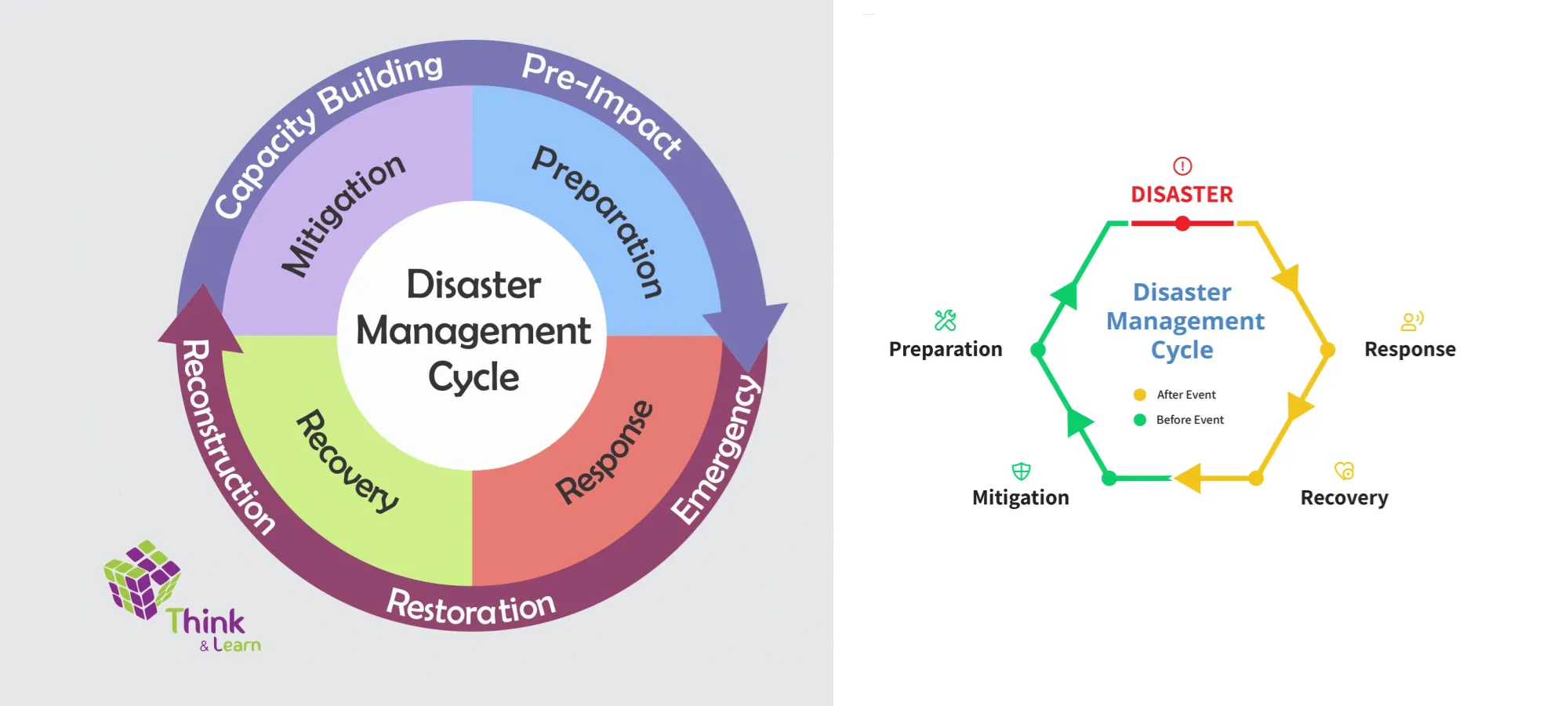
IDRM: MVP PRD - Product Requirements Document
Executive Summary
The Integrated Disaster Response Management Platform (IDRM) MVP is a unified, map-driven, privacy-first digital platform designed to enable timely, coordinated, transparent disaster response in India. This document outlines the technical architecture, technology stack, and implementation roadmap for the Minimum Viable Product deployment on a standalone Ubuntu machine.
1. Product Overview
1.1 Product Vision
IDRM serves as a national-scale digital nervous system for disaster response, connecting information flow, logistics, people, and accountability mechanisms into one coordinated platform. The system operates analogously to the human body with a neural network for information and a circulatory system for resources.
1.2 Core Problem Statement
Disaster response in India suffers from:
- Fragmented information across multiple stakeholders
- Delayed coordination between agencies
- Limited transparency in resource allocation
- Absence of unified digital coordination systems
- Privacy concerns for vulnerable populations
- Difficulty tracking service delivery and outcomes
1.3 MVP Scope
The MVP focuses on establishing core platform capabilities:
- Geographic information system with real-time mapping
- Service request and provider coordination
- Role-based access control with privacy protection
- Basic communication and notification system
- Financial transparency for donations and allocations
- Audit trails and reporting
2. Technology Stack
2.1 System Architecture
graph TB
    A[Web Clients] --> B[NGINX Reverse Proxy]
    B --> C[Node.js API Gateway]
    C --> D[Python Microservices]
    C --> E[Redis Cache]
    D --> F[PostgreSQL + PostGIS]
    C --> G[GeoServer]
    G --> F
    H[Admin Dashboard] --> B
2.2 Core Technologies
Backend Technologies
Node.js Stack (API Gateway & Real-time Services)
- Node.js 20 LTS - JavaScript runtime for asynchronous operations
- Express.js 4.x - Web application framework for REST APIs
- Socket.io 4.x - Real-time bidirectional communication
- Passport.js - Authentication middleware supporting JWT
- Helmet.js - Security middleware for HTTP headers
- Express-validator - Input validation and sanitization
- Winston - Logging framework
- Morgan - HTTP request logger
- Joi - Schema validation
Python Stack (Data Processing & Analytics)
- Python 3.11 - Core language for data operations
- FastAPI 0.104+ - Modern, fast web framework for building APIs
- SQLAlchemy 2.0 - ORM for database operations
- GeoAlchemy2 - Spatial extension for SQLAlchemy
- Pandas - Data manipulation and analysis
- Celery 5.x - Distributed task queue for async processing
- Pydantic - Data validation using Python type annotations
Database & Caching
PostgreSQL 16 + PostGIS 3.4
- Primary relational database
- PostGIS extension for geospatial data types and operations
- Supports point, line, polygon geometries with spatial indexing
- R-tree indexes for efficient spatial queries
Redis 7.2
- Session management and JWT token blacklisting
- Real-time data caching
- Message queue for pub/sub patterns
- Rate limiting implementation
Geospatial Services
GeoServer 2.24
- OGC-compliant map server (WMS, WFS, WCS)
- Connects to PostGIS for spatial data
- Supports SLD styling for map visualization
- REST API for programmatic control
Leaflet 1.9
- Frontend mapping library
- Lightweight and mobile-friendly
- Plugin ecosystem for extended functionality
- WMS/WFS integration with GeoServer
Web Server & Proxy
NGINX 1.24
- Reverse proxy for Node.js and Python services
- Web Application Firewall (WAF) capabilities
- SSL/TLS termination
- Static file serving and caching
- Load balancing across service instances
Development & Deployment
Docker 24.x & Docker Compose
- Container orchestration
- Service isolation
- Development-production parity
Git
- Version control system
2.3 Technology Selection Rationale
Node.js for API Gateway: Event-driven architecture handles high-concurrency connections efficiently, making it ideal for real-time disaster response coordination with thousands of simultaneous users.
Python for Data Processing: Superior libraries for geospatial analysis, data science capabilities for analytics, and extensive scientific computing ecosystem for future ML integration.
PostgreSQL + PostGIS: Industry standard for geospatial databases with ACID compliance, robust spatial functions (over 1000 geospatial operations), and superior performance for complex spatial queries compared to MongoDB.
Redis: In-memory storage provides sub-millisecond latency for session management, enabling stateless JWT authentication with blacklist capability and efficient caching layer.
GeoServer: Open-source, OGC-compliant standard for serving geospatial data, extensive format support, and seamless integration with PostGIS.
NGINX: High-performance reverse proxy with minimal resource footprint, excellent for handling concurrent connections and providing security features.
3. System Architecture
3.1 Layered Architecture
1
2
3
4
5
6
7
8
9
10
11
12
13
14
15
16
17
18
19
20
21
22
23
24
25
26
27
┌─────────────────────────────────────────┐
│     Presentation Layer (Web Client)     │
│    Leaflet Maps | React Components      │
└─────────────────────────────────────────┘
                  ↓ HTTPS
┌─────────────────────────────────────────┐
│    NGINX (Reverse Proxy, WAF, Cache)    │
└─────────────────────────────────────────┘
                  ↓
┌─────────────────────────────────────────┐
│       API Gateway (Node.js/Express)     │
│   Authentication | Routing | WebSocket  │
└─────────────────────────────────────────┘
        ↓                    ↓
┌───────────────┐    ┌──────────────────┐
│  Redis Cache  │    │  GeoServer WMS   │
└───────────────┘    └──────────────────┘
        ↓                    ↓
┌─────────────────────────────────────────┐
│   Business Logic Layer (Python/FastAPI) │
│  Service Management | Analytics | ReVV  │
└─────────────────────────────────────────┘
                  ↓
┌─────────────────────────────────────────┐
│     Data Layer (PostgreSQL + PostGIS)   │
│   User Data | Service Data | GeoData    │
└─────────────────────────────────────────┘
3.2 Microservices Architecture
The MVP implements a microservices pattern with the following services:
Authentication Service (Node.js)
- JWT token generation and validation
- OAuth 2.0 integration capability
- Session management with Redis
- Token blacklisting on logout
Service Management Service (Python/FastAPI)
- CRUD operations for service requests
- Provider matching algorithms
- Status tracking and updates
- Task assignment logic
Geospatial Service (Python/FastAPI)
- Spatial queries and analysis
- Location-based service matching
- Distance calculations
- Clustering algorithms
Communication Service (Node.js/Socket.io)
- Real-time notifications
- WebSocket connections
- Broadcast mechanisms
- Message queuing
Analytics Service (Python/FastAPI)
- Data aggregation
- Report generation
- Dashboard metrics
- Audit log processing
Financial Service (Python/FastAPI)
- Donation tracking
- Allocation management
- Transparent accounting
- Fund flow auditing
4. Core Features
4.1 Identity & Access Management
User Authentication
- JWT-based stateless authentication
- Access token (15 minutes expiry) and refresh token (7 days expiry)
- Token blacklisting on logout using Redis
- Password hashing with bcrypt (cost factor: 12)
Role-Based Access Control (RBAC)
User roles with hierarchical permissions:
- System Administrator - Full system access, user management
- Disaster Management Authority - Oversee operations, approve requests
- Organization Admin - Manage organization users and services
- Event Manager - On-ground coordination, task assignment
- Service Provider - Respond to requests, update status
- Volunteer - Field support, data collection
- Citizen - Submit requests, receive information
- Auditor - Read-only access, generate reports
RBAC Implementation using Casbin
- Policy-based access control
- Flexible permission models (ACL, RBAC, ABAC)
- Database-backed policy storage in PostgreSQL
4.2 Privacy Preservation
Anonymization Levels
- Level 1: Public (location precision to district)
- Level 2: Protected (location precision to block)
- Level 3: Private (exact coordinates, restricted access)
Privacy Controls
- User-controlled visibility settings
- Automatic PII masking in logs
- Differential privacy for aggregated analytics
- GDPR-compliant data handling
4.3 GeoMap-Based Services
Map Features
Service Request Markers:
- Color-coded by service type (medical, food, shelter, rescue)
- Size indicates urgency (critical, high, medium, low)
- Clustering for dense areas (using Leaflet.markercluster)
Service Provider Markers:
- Organization type icons
- Availability status indicators
- Service radius visualization
Map Interactions:
- Click marker for details
- Filter by service type, status, date range
- Search by location/address
- Draw areas of interest
- Measure distances
Spatial Operations
PostGIS Capabilities:
1
2
3
4
5
6
7
8
9
10
11
12
13
14
15
16
17
18
-- Find services within 5km radius
SELECT * FROM service_requests
WHERE ST_DWithin(
  location::geography,
  ST_MakePoint(longitude, latitude)::geography,
  5000
);

-- Cluster nearby requests
SELECT ST_ClusterKMeans(location, 10) OVER() as cluster_id,
       service_id, service_type, location
FROM service_requests;

-- Calculate service coverage area
SELECT service_provider_id,
       ST_ConvexHull(ST_Collect(location)) as coverage_area
FROM service_deliveries
GROUP BY service_provider_id;
GeoServer Integration
- WMS layers for service visualization
- WFS for editable features
- SLD styling for thematic mapping
- GetFeatureInfo for querying
4.4 Service Lifecycle Management
Service Request Workflow
stateDiagram-v2
    [*] --> Submitted
    Submitted --> UnderReview: Auto/Manual trigger
    UnderReview --> Approved: Verification passed
    UnderReview --> Rejected: Invalid/Duplicate
    Approved --> Assigned: Provider matched
    Assigned --> InProgress: Provider accepts
    InProgress --> Completed: Service delivered
    InProgress --> Cancelled: Unable to complete
    Completed --> Verified: Beneficiary confirms
    Rejected --> [*]
    Cancelled --> [*]
    Verified --> [*]
Service Request Schema
1
2
3
4
5
6
7
8
9
10
11
12
13
14
15
class ServiceRequest(BaseModel):
    service_id: UUID4
    requestor_id: UUID4
    service_type: ServiceType  # MEDICAL, FOOD, SHELTER, RESCUE, etc.
    priority: Priority  # CRITICAL, HIGH, MEDIUM, LOW
    location: Point  # PostGIS geometry
    address: str
    description: str
    privacy_level: PrivacyLevel
    status: ServiceStatus
    created_at: datetime
    updated_at: datetime
    assigned_to: Optional[UUID4]
    estimated_completion: Optional[datetime]
    metadata: dict  # Flexible JSON field
4.5 Review, Verification & Validation (ReVV)
Automated Validation
- Duplicate detection using spatial clustering
- Anomaly detection for fraudulent requests
- Cross-reference with known disaster zones
- Historical pattern analysis
Manual Verification
- Authority review queue
- Community-based validation
- Photographic evidence requirements
- Third-party verification integration
Audit Trail
- Every action logged with timestamp and user
- Immutable log storage
- Change tracking for all entities
- Searchable audit interface
4.6 Communication System
Real-time Notifications
- WebSocket connections for instant updates
- Service status changes
- Assignment notifications
- Alert broadcasts
Chatbot Integration (Future)
- Natural language processing
- Multi-language support (Hindi, English, regional languages)
- WhatsApp Business API integration
- SMS fallback for low connectivity
Notification Channels
- In-app notifications
- Email notifications
- SMS (via third-party gateway)
- Push notifications (mobile app future)
4.7 Financial Transparency
Donation Management
1
2
3
4
5
6
7
8
9
10
11
class Donation(BaseModel):
    donation_id: UUID4
    donor_id: Optional[UUID4]  # Anonymous allowed
    amount: Decimal
    currency: str = "INR"
    purpose: str  # General or specific cause
    disaster_event_id: Optional[UUID4]
    payment_method: PaymentMethod
    transaction_id: str
    status: DonationStatus
    created_at: datetime
Fund Allocation
- Purpose-wise pooling
- Transparent allocation records
- Multi-level approval for disbursements
- Automatic receipt generation
Financial Reporting
- Real-time fund balance dashboards
- Allocation vs utilization reports
- Donor-specific reports
- Audit-ready transaction logs
4.8 Analytics & Reporting
Dashboard Metrics
- Total services requested/completed
- Average response time by service type
- Geographic distribution heat maps
- Provider performance metrics
- Financial flow visualization
Report Types
- Daily operational reports
- Event-specific summaries
- Provider performance reports
- Financial audit reports
- Impact assessment reports
Data Export
- CSV, JSON, PDF formats
- Custom date ranges
- Filtered by parameters
- Scheduled automated reports
5. Database Schema
5.1 Core Tables
users
1
2
3
4
5
6
7
8
9
10
11
12
13
14
15
16
CREATE TABLE users (
    user_id UUID PRIMARY KEY DEFAULT gen_random_uuid(),
    email VARCHAR(255) UNIQUE NOT NULL,
    password_hash VARCHAR(255) NOT NULL,
    full_name VARCHAR(255),
    phone VARCHAR(20),
    role VARCHAR(50) NOT NULL,
    organization_id UUID REFERENCES organizations(organization_id),
    is_active BOOLEAN DEFAULT true,
    is_verified BOOLEAN DEFAULT false,
    created_at TIMESTAMP DEFAULT CURRENT_TIMESTAMP,
    updated_at TIMESTAMP DEFAULT CURRENT_TIMESTAMP
);

CREATE INDEX idx_users_email ON users(email);
CREATE INDEX idx_users_role ON users(role);
organizations
1
2
3
4
5
6
7
8
9
10
11
12
13
14
15
CREATE TABLE organizations (
    organization_id UUID PRIMARY KEY DEFAULT gen_random_uuid(),
    name VARCHAR(255) NOT NULL,
    type VARCHAR(50) NOT NULL, -- NGO, GOVERNMENT, IO, PRIVATE
    registration_number VARCHAR(100),
    address TEXT,
    location GEOMETRY(Point, 4326),
    contact_email VARCHAR(255),
    contact_phone VARCHAR(20),
    is_verified BOOLEAN DEFAULT false,
    created_at TIMESTAMP DEFAULT CURRENT_TIMESTAMP,
    updated_at TIMESTAMP DEFAULT CURRENT_TIMESTAMP
);

CREATE INDEX idx_organizations_location ON organizations USING GIST(location);
service_requests
1
2
3
4
5
6
7
8
9
10
11
12
13
14
15
16
17
18
19
20
21
22
23
CREATE TABLE service_requests (
    service_id UUID PRIMARY KEY DEFAULT gen_random_uuid(),
    requestor_id UUID REFERENCES users(user_id),
    service_type VARCHAR(50) NOT NULL,
    priority VARCHAR(20) NOT NULL,
    location GEOMETRY(Point, 4326) NOT NULL,
    address TEXT,
    description TEXT,
    privacy_level VARCHAR(20) DEFAULT 'PUBLIC',
    status VARCHAR(50) DEFAULT 'SUBMITTED',
    assigned_to UUID REFERENCES users(user_id),
    disaster_event_id UUID REFERENCES disaster_events(event_id),
    estimated_completion TIMESTAMP,
    created_at TIMESTAMP DEFAULT CURRENT_TIMESTAMP,
    updated_at TIMESTAMP DEFAULT CURRENT_TIMESTAMP,
    metadata JSONB
);

CREATE INDEX idx_service_requests_location ON service_requests USING GIST(location);
CREATE INDEX idx_service_requests_status ON service_requests(status);
CREATE INDEX idx_service_requests_type ON service_requests(service_type);
CREATE INDEX idx_service_requests_priority ON service_requests(priority);
CREATE INDEX idx_service_requests_event ON service_requests(disaster_event_id);
disaster_events
1
2
3
4
5
6
7
8
9
10
11
12
13
14
15
16
CREATE TABLE disaster_events (
    event_id UUID PRIMARY KEY DEFAULT gen_random_uuid(),
    event_name VARCHAR(255) NOT NULL,
    event_type VARCHAR(50) NOT NULL, -- FLOOD, EARTHQUAKE, CYCLONE, etc.
    severity VARCHAR(20), -- LOW, MEDIUM, HIGH, CRITICAL
    affected_area GEOMETRY(Polygon, 4326),
    start_date TIMESTAMP NOT NULL,
    end_date TIMESTAMP,
    status VARCHAR(50) DEFAULT 'ACTIVE',
    description TEXT,
    created_at TIMESTAMP DEFAULT CURRENT_TIMESTAMP,
    updated_at TIMESTAMP DEFAULT CURRENT_TIMESTAMP
);

CREATE INDEX idx_disaster_events_area ON disaster_events USING GIST(affected_area);
CREATE INDEX idx_disaster_events_type ON disaster_events(event_type);
service_providers
1
2
3
4
5
6
7
8
9
10
11
12
13
14
15
CREATE TABLE service_providers (
    provider_id UUID PRIMARY KEY DEFAULT gen_random_uuid(),
    user_id UUID REFERENCES users(user_id),
    organization_id UUID REFERENCES organizations(organization_id),
    service_types VARCHAR(50)[], -- Array of service types
    coverage_area GEOMETRY(Polygon, 4326),
    capacity INTEGER,
    current_load INTEGER DEFAULT 0,
    is_available BOOLEAN DEFAULT true,
    created_at TIMESTAMP DEFAULT CURRENT_TIMESTAMP,
    updated_at TIMESTAMP DEFAULT CURRENT_TIMESTAMP
);

CREATE INDEX idx_service_providers_coverage ON service_providers USING GIST(coverage_area);
CREATE INDEX idx_service_providers_types ON service_providers USING GIN(service_types);
donations
1
2
3
4
5
6
7
8
9
10
11
12
13
14
15
16
CREATE TABLE donations (
    donation_id UUID PRIMARY KEY DEFAULT gen_random_uuid(),
    donor_id UUID REFERENCES users(user_id),
    amount DECIMAL(15,2) NOT NULL,
    currency VARCHAR(3) DEFAULT 'INR',
    purpose TEXT,
    disaster_event_id UUID REFERENCES disaster_events(event_id),
    payment_method VARCHAR(50),
    transaction_id VARCHAR(255) UNIQUE,
    status VARCHAR(50) DEFAULT 'PENDING',
    created_at TIMESTAMP DEFAULT CURRENT_TIMESTAMP,
    updated_at TIMESTAMP DEFAULT CURRENT_TIMESTAMP
);

CREATE INDEX idx_donations_event ON donations(disaster_event_id);
CREATE INDEX idx_donations_status ON donations(status);
audit_logs
1
2
3
4
5
6
7
8
9
10
11
12
13
14
15
CREATE TABLE audit_logs (
    log_id BIGSERIAL PRIMARY KEY,
    user_id UUID REFERENCES users(user_id),
    action VARCHAR(100) NOT NULL,
    entity_type VARCHAR(50),
    entity_id UUID,
    changes JSONB,
    ip_address INET,
    user_agent TEXT,
    created_at TIMESTAMP DEFAULT CURRENT_TIMESTAMP
);

CREATE INDEX idx_audit_logs_user ON audit_logs(user_id);
CREATE INDEX idx_audit_logs_entity ON audit_logs(entity_type, entity_id);
CREATE INDEX idx_audit_logs_created ON audit_logs(created_at);
6. API Design
6.1 RESTful API Structure
Base URL: https://api.idrm.gov.in/v1
Authentication Header: Authorization: Bearer <jwt_token>
6.2 API Endpoints
Authentication
1
2
3
4
5
6
7
POST   /auth/register          - Register new user
POST   /auth/login             - Login and get tokens
POST   /auth/refresh           - Refresh access token
POST   /auth/logout            - Logout and blacklist tokens
POST   /auth/verify-email      - Verify email address
POST   /auth/forgot-password   - Request password reset
POST   /auth/reset-password    - Reset password with token
Users
1
2
3
4
5
6
7
GET    /users/me               - Get current user profile
PUT    /users/me               - Update current user profile
GET    /users/:id              - Get user by ID (restricted)
GET    /users                  - List users (admin only)
POST   /users                  - Create user (admin only)
PUT    /users/:id              - Update user (admin only)
DELETE /users/:id              - Delete user (admin only)
Service Requests
1
2
3
4
5
6
7
8
9
POST   /services               - Create service request
GET    /services               - List service requests (filtered)
GET    /services/:id           - Get service request details
PUT    /services/:id           - Update service request
DELETE /services/:id           - Delete service request (restricted)
POST   /services/:id/assign    - Assign to provider
PUT    /services/:id/status    - Update status
GET    /services/nearby        - Find services near location
POST   /services/:id/verify    - Verify service completion
Organizations
1
2
3
4
5
POST   /organizations          - Register organization
GET    /organizations          - List organizations
GET    /organizations/:id      - Get organization details
PUT    /organizations/:id      - Update organization
POST   /organizations/:id/verify - Verify organization (admin)
Disaster Events
1
2
3
4
5
6
POST   /events                 - Create disaster event (admin)
GET    /events                 - List disaster events
GET    /events/:id             - Get event details
PUT    /events/:id             - Update event (admin)
GET    /events/:id/services    - Get services for event
GET    /events/:id/analytics   - Get event analytics
Donations
1
2
3
4
5
POST   /donations              - Create donation
GET    /donations              - List donations (filtered)
GET    /donations/:id          - Get donation details
GET    /donations/summary      - Get financial summary
POST   /donations/:id/allocate - Allocate funds (admin)
Analytics
1
2
3
4
5
GET    /analytics/dashboard    - Get dashboard metrics
GET    /analytics/services     - Service analytics
GET    /analytics/financial    - Financial analytics
GET    /analytics/geographic   - Geographic analytics
POST   /analytics/report       - Generate custom report
GeoSpatial
1
2
3
4
GET    /geo/services           - GeoJSON of service locations
GET    /geo/coverage           - Provider coverage areas
POST   /geo/search             - Spatial search
GET    /geo/cluster            - Clustered service points
6.3 Request/Response Examples
Create Service Request
Request:
1
2
3
4
5
6
7
8
9
10
11
12
13
14
15
16
POST /v1/services
Content-Type: application/json
Authorization: Bearer <token>

{
  "service_type": "MEDICAL",
  "priority": "HIGH",
  "location": {
    "type": "Point",
    "coordinates": [78.4867, 17.3850]
  },
  "address": "Charminar, Hyderabad, Telangana",
  "description": "Urgent medical attention needed for elderly person",
  "privacy_level": "PROTECTED",
  "disaster_event_id": "a1b2c3d4-e5f6-7890-abcd-ef1234567890"
}
Response:
1
2
3
4
5
6
7
8
9
{
  "status": "success",
  "data": {
    "service_id": "f9e8d7c6-b5a4-3210-fedc-ba9876543210",
    "status": "SUBMITTED",
    "created_at": "2024-12-22T10:30:00Z",
    "estimated_response_time": "30 minutes"
  }
}
Get Service Requests (with spatial filter)
Request:
1
2
GET /v1/services?lat=17.3850&lng=78.4867&radius=5000&status=APPROVED&service_type=MEDICAL
Authorization: Bearer <token>
Response:
1
2
3
4
5
6
7
8
9
10
11
12
13
14
15
16
17
18
19
20
21
{
  "status": "success",
  "data": {
    "services": [
      {
        "service_id": "f9e8d7c6-b5a4-3210-fedc-ba9876543210",
        "service_type": "MEDICAL",
        "priority": "HIGH",
        "status": "APPROVED",
        "distance_meters": 1250,
        "created_at": "2024-12-22T10:30:00Z"
      }
    ],
    "pagination": {
      "page": 1,
      "per_page": 20,
      "total": 45,
      "pages": 3
    }
  }
}
7. Security Implementation
7.1 Authentication Flow
sequenceDiagram
    participant C as Client
    participant N as NGINX
    participant A as Auth Service
    participant R as Redis
    participant D as Database

    C->>N: POST /auth/login
    N->>A: Forward request
    A->>D: Verify credentials
    D-->>A: User data
    A->>A: Generate JWT tokens
    A->>R: Store refresh token
    A-->>C: Access + Refresh tokens

    C->>N: GET /services (with token)
    N->>A: Verify token
    A->>R: Check blacklist
    R-->>A: Not blacklisted
    A-->>N: Token valid
    N->>C: Authorized access
7.2 Security Measures
JWT Token Security
- Short-lived access tokens (15 minutes)
- Longer refresh tokens (7 days)
- Token rotation on refresh
- Blacklisting on logout using Redis
- Token includes user ID, role, and expiry
Password Security
- Bcrypt hashing (cost factor 12)
- Minimum 8 characters requirement
- Password strength validation
- Rate limiting on login attempts (5 attempts per 15 minutes)
Input Validation
- Schema validation using Joi (Node.js) and Pydantic (Python)
- SQL injection prevention via parameterized queries
- XSS protection through output encoding
- CSRF tokens for state-changing operations
Network Security
- HTTPS enforced (TLS 1.3)
- HSTS headers
- Certificate pinning
- Secure cookie flags (HttpOnly, Secure, SameSite)
Rate Limiting
- API rate limits: 100 requests/minute per user
- Login attempts: 5 per 15 minutes
- Registration: 3 per hour per IP
- Implemented via Redis counters
CORS Configuration
1
2
3
4
5
6
{
  origin: process.env.ALLOWED_ORIGINS.split(','),
  credentials: true,
  methods: ['GET', 'POST', 'PUT', 'DELETE'],
  allowedHeaders: ['Content-Type', 'Authorization']
}
8. Deployment Architecture
8.1 Server Specifications
Hardware Requirements
- CPU: 8 cores (minimum)
- RAM: 32 GB (minimum)
- Storage: 500 GB SSD
- Network: 1 Gbps connection
Operating System
- Ubuntu 24.04 LTS (Noble Numbat)
- Kernel 6.8+
8.2 Docker Compose Configuration
docker-compose.yml
1
2
3
4
5
6
7
8
9
10
11
12
13
14
15
16
17
18
19
20
21
22
23
24
25
26
27
28
29
30
31
32
33
34
35
36
37
38
39
40
41
42
43
44
45
46
47
48
49
50
51
52
53
54
55
56
57
58
59
60
61
62
63
64
65
66
67
68
69
70
71
72
73
74
75
76
77
78
79
80
81
82
83
84
85
86
87
88
89
90
91
92
93
94
95
96
97
98
99
100
101
102
103
104
105
106
107
108
109
110
111
112
113
114
115
116
117
118
119
120
121
122
123
124
125
126
127
128
129
130
131
132
133
134
135
136
137
138
139
140
141
142
143
144
145
146
147
148
149
150
151
152
153
version: '3.8'

services:
  # NGINX Reverse Proxy
  nginx:
    image: nginx:1.24-alpine
    container_name: idrm-nginx
    ports:
      - "80:80"
      - "443:443"
    volumes:
      - ./nginx/nginx.conf:/etc/nginx/nginx.conf:ro
      - ./nginx/ssl:/etc/nginx/ssl:ro
      - ./static:/usr/share/nginx/html:ro
    depends_on:
      - api-gateway
      - geoserver
    networks:
      - idrm-network
    restart: unless-stopped

  # PostgreSQL with PostGIS
  postgres:
    image: postgis/postgis:16-3.4
    container_name: idrm-postgres
    environment:
      POSTGRES_DB: idrm_db
      POSTGRES_USER: idrm_user
      POSTGRES_PASSWORD: ${POSTGRES_PASSWORD}
      PGDATA: /var/lib/postgresql/data/pgdata
    volumes:
      - postgres-data:/var/lib/postgresql/data
      - ./init-scripts:/docker-entrypoint-initdb.d
    ports:
      - "5432:5432"
    networks:
      - idrm-network
    restart: unless-stopped
    healthcheck:
      test: ["CMD-SHELL", "pg_isready -U idrm_user -d idrm_db"]
      interval: 30s
      timeout: 10s
      retries: 5

  # Redis Cache
  redis:
    image: redis:7.2-alpine
    container_name: idrm-redis
    command: redis-server --requirepass ${REDIS_PASSWORD} --appendonly yes
    volumes:
      - redis-data:/data
    ports:
      - "6379:6379"
    networks:
      - idrm-network
    restart: unless-stopped
    healthcheck:
      test: ["CMD", "redis-cli", "ping"]
      interval: 30s
      timeout: 10s
      retries: 5

  # Node.js API Gateway
  api-gateway:
    build:
      context: ./services/api-gateway
      dockerfile: Dockerfile
    container_name: idrm-api-gateway
    environment:
      NODE_ENV: production
      PORT: 3000
      DATABASE_URL: postgresql://idrm_user:${POSTGRES_PASSWORD}@postgres:5432/idrm_db
      REDIS_URL: redis://:${REDIS_PASSWORD}@redis:6379
      JWT_SECRET: ${JWT_SECRET}
      JWT_REFRESH_SECRET: ${JWT_REFRESH_SECRET}
    ports:
      - "3000:3000"
    depends_on:
      - postgres
      - redis
    networks:
      - idrm-network
    restart: unless-stopped
    volumes:
      - ./logs:/app/logs

  # Python Service Management
  service-manager:
    build:
      context: ./services/service-manager
      dockerfile: Dockerfile
    container_name: idrm-service-manager
    environment:
      DATABASE_URL: postgresql://idrm_user:${POSTGRES_PASSWORD}@postgres:5432/idrm_db
      REDIS_URL: redis://:${REDIS_PASSWORD}@redis:6379
    ports:
      - "8001:8000"
    depends_on:
      - postgres
      - redis
    networks:
      - idrm-network
    restart: unless-stopped

  # Python Analytics Service
  analytics:
    build:
      context: ./services/analytics
      dockerfile: Dockerfile
    container_name: idrm-analytics
    environment:
      DATABASE_URL: postgresql://idrm_user:${POSTGRES_PASSWORD}@postgres:5432/idrm_db
      REDIS_URL: redis://:${REDIS_PASSWORD}@redis:6379
    ports:
      - "8002:8000"
    depends_on:
      - postgres
      - redis
    networks:
      - idrm-network
    restart: unless-stopped

  # GeoServer
  geoserver:
    image: kartoza/geoserver:2.24.0
    container_name: idrm-geoserver
    environment:
      GEOSERVER_ADMIN_USER: ${GEOSERVER_USER}
      GEOSERVER_ADMIN_PASSWORD: ${GEOSERVER_PASSWORD}
      GEOSERVER_DATA_DIR: /opt/geoserver/data_dir
      POSTGRES_HOST: postgres
      POSTGRES_PORT: 5432
      POSTGRES_DB: idrm_db
      POSTGRES_USER: idrm_user
      POSTGRES_PASS: ${POSTGRES_PASSWORD}
    volumes:
      - geoserver-data:/opt/geoserver/data_dir
    ports:
      - "8080:8080"
    depends_on:
      - postgres
    networks:
      - idrm-network
    restart: unless-stopped

volumes:
  postgres-data:
  redis-data:
  geoserver-data:

networks:
  idrm-network:
    driver: bridge
8.3 NGINX Configuration
nginx.conf
1
2
3
4
5
6
7
8
9
10
11
12
13
14
15
16
17
18
19
20
21
22
23
24
25
26
27
28
29
30
31
32
33
34
35
36
37
38
39
40
41
42
43
44
45
46
47
48
49
50
51
52
53
54
55
56
57
58
59
60
61
62
63
64
65
66
67
68
69
70
71
72
73
74
75
76
77
78
79
80
81
82
83
84
85
86
87
88
89
90
91
92
93
94
95
96
97
98
99
100
101
102
103
104
105
106
107
108
109
110
111
112
113
114
115
116
117
118
119
120
121
122
123
124
125
126
127
128
129
130
131
132
133
134
135
136
137
138
user nginx;
worker_processes auto;
error_log /var/log/nginx/error.log warn;
pid /var/run/nginx.pid;

events {
    worker_connections 4096;
    use epoll;
}

http {
    include /etc/nginx/mime.types;
    default_type application/octet-stream;

    # Logging
    log_format main '$remote_addr - $remote_user [$time_local] "$request" '
                    '$status $body_bytes_sent "$http_referer" '
                    '"$http_user_agent" "$http_x_forwarded_for"';
    access_log /var/log/nginx/access.log main;

    # Performance
    sendfile on;
    tcp_nopush on;
    tcp_nodelay on;
    keepalive_timeout 65;
    types_hash_max_size 2048;
    client_max_body_size 20M;

    # Compression
    gzip on;
    gzip_vary on;
    gzip_proxied any;
    gzip_comp_level 6;
    gzip_types text/plain text/css text/xml text/javascript
               application/json application/javascript application/xml+rss;

    # Security Headers
    add_header X-Frame-Options "SAMEORIGIN" always;
    add_header X-Content-Type-Options "nosniff" always;
    add_header X-XSS-Protection "1; mode=block" always;
    add_header Referrer-Policy "no-referrer-when-downgrade" always;

    # Rate Limiting
    limit_req_zone $binary_remote_addr zone=api_limit:10m rate=100r/m;
    limit_req_zone $binary_remote_addr zone=auth_limit:10m rate=5r/m;

    # Upstream services
    upstream api_gateway {
        least_conn;
        server api-gateway:3000;
    }

    upstream geoserver_backend {
        server geoserver:8080;
    }

    # HTTP to HTTPS redirect
    server {
        listen 80;
        server_name idrm.gov.in;
        return 301 https://$server_name$request_uri;
    }

    # HTTPS Server
    server {
        listen 443 ssl http2;
        server_name idrm.gov.in;

        # SSL Configuration
        ssl_certificate /etc/nginx/ssl/cert.pem;
        ssl_certificate_key /etc/nginx/ssl/key.pem;
        ssl_protocols TLSv1.2 TLSv1.3;
        ssl_ciphers HIGH:!aNULL:!MD5;
        ssl_prefer_server_ciphers on;

        # API Gateway
        location /api/ {
            limit_req zone=api_limit burst=20 nodelay;

            proxy_pass http://api_gateway;
            proxy_http_version 1.1;
            proxy_set_header Upgrade $http_upgrade;
            proxy_set_header Connection 'upgrade';
            proxy_set_header Host $host;
            proxy_set_header X-Real-IP $remote_addr;
            proxy_set_header X-Forwarded-For $proxy_add_x_forwarded_for;
            proxy_set_header X-Forwarded-Proto $scheme;
            proxy_cache_bypass $http_upgrade;

            # CORS
            add_header Access-Control-Allow-Origin $http_origin always;
            add_header Access-Control-Allow-Methods 'GET, POST, PUT, DELETE, OPTIONS' always;
            add_header Access-Control-Allow-Headers 'Content-Type, Authorization' always;
            add_header Access-Control-Allow-Credentials 'true' always;

            if ($request_method = 'OPTIONS') {
                return 204;
            }
        }

        # Authentication endpoints with stricter rate limiting
        location /api/auth/ {
            limit_req zone=auth_limit burst=5 nodelay;

            proxy_pass http://api_gateway;
            proxy_http_version 1.1;
            proxy_set_header Host $host;
            proxy_set_header X-Real-IP $remote_addr;
            proxy_set_header X-Forwarded-For $proxy_add_x_forwarded_for;
            proxy_set_header X-Forwarded-Proto $scheme;
        }

        # GeoServer WMS/WFS
        location /geoserver/ {
            proxy_pass http://geoserver_backend/geoserver/;
            proxy_set_header Host $host;
            proxy_set_header X-Real-IP $remote_addr;
            proxy_set_header X-Forwarded-For $proxy_add_x_forwarded_for;

            # Caching for WMS tiles
            proxy_cache_valid 200 1h;
            proxy_cache_bypass $http_pragma $http_authorization;
        }

        # Static files
        location /static/ {
            alias /usr/share/nginx/html/;
            expires 1y;
            add_header Cache-Control "public, immutable";
        }

        # Frontend application
        location / {
            root /usr/share/nginx/html;
            try_files $uri $uri/ /index.html;
        }
    }
}
9. Development Guidelines
9.1 Code Structure
Node.js API Gateway Structure
1
2
3
4
5
6
7
8
9
10
11
12
13
14
15
16
17
18
19
20
21
22
23
24
25
26
27
28
29
30
31
32
services/api-gateway/
├── src/
│   ├── config/
│   │   ├── database.js
│   │   ├── redis.js
│   │   └── passport.js
│   ├── middleware/
│   │   ├── auth.js
│   │   ├── rbac.js
│   │   ├── validate.js
│   │   └── errorHandler.js
│   ├── routes/
│   │   ├── auth.routes.js
│   │   ├── user.routes.js
│   │   ├── service.routes.js
│   │   └── index.js
│   ├── controllers/
│   │   ├── auth.controller.js
│   │   ├── user.controller.js
│   │   └── service.controller.js
│   ├── models/
│   │   ├── User.js
│   │   └── Session.js
│   ├── utils/
│   │   ├── logger.js
│   │   ├── jwt.js
│   │   └── validators.js
│   └── app.js
├── tests/
├── package.json
├── Dockerfile
└── .env.example
Python Service Structure
1
2
3
4
5
6
7
8
9
10
11
12
13
14
15
16
17
18
19
20
21
22
23
24
25
26
27
28
29
30
31
services/service-manager/
├── app/
│   ├── api/
│   │   ├── v1/
│   │   │   ├── endpoints/
│   │   │   │   ├── services.py
│   │   │   │   └── providers.py
│   │   │   └── api.py
│   │   └── dependencies.py
│   ├── core/
│   │   ├── config.py
│   │   ├── security.py
│   │   └── logging.py
│   ├── db/
│   │   ├── session.py
│   │   ├── base.py
│   │   └── init_db.py
│   ├── models/
│   │   ├── service.py
│   │   └── provider.py
│   ├── schemas/
│   │   ├── service.py
│   │   └── provider.py
│   ├── services/
│   │   ├── service_manager.py
│   │   └── geospatial.py
│   └── main.py
├── tests/
├── requirements.txt
├── Dockerfile
└── .env.example
9.2 Coding Standards
JavaScript/Node.js
- Use ESLint with Airbnb style guide
- Use async/await over callbacks
- Implement error handling in all async functions
- Use ES6+ features (arrow functions, destructuring, template literals)
- Add JSDoc comments for functions
Python
- Follow PEP 8 style guide
- Use type hints for all function signatures
- Implement docstrings (Google style)
- Use Black for code formatting
- Use pylint for linting
9.3 Testing Strategy
Unit Tests
- Node.js: Jest framework
- Python: pytest framework
- Minimum 70% code coverage
- Test all business logic functions
- Mock external dependencies
Integration Tests
- API endpoint testing
- Database integration testing
- Redis integration testing
- End-to-end workflows
Load Testing
- Apache JMeter or Locust
- Test scenarios:
- 1000 concurrent users
- 10000 service requests per hour
- Geographic query performance
10. Monitoring & Observability
10.1 Logging
Winston Configuration (Node.js)
1
2
3
4
5
6
7
8
9
10
11
12
13
14
15
16
17
18
19
20
const winston = require('winston');

const logger = winston.createLogger({
  level: 'info',
  format: winston.format.combine(
    winston.format.timestamp(),
    winston.format.errors({ stack: true }),
    winston.format.json()
  ),
  defaultMeta: { service: 'api-gateway' },
  transports: [
    new winston.transports.File({
      filename: 'logs/error.log',
      level: 'error'
    }),
    new winston.transports.File({
      filename: 'logs/combined.log'
    })
  ]
});
Python Logging Configuration
1
2
3
4
5
6
7
8
9
10
11
12
13
14
15
16
17
import logging
from logging.handlers import RotatingFileHandler

logger = logging.getLogger(__name__)
logger.setLevel(logging.INFO)

handler = RotatingFileHandler(
    'logs/service.log',
    maxBytes=10485760,  # 10MB
    backupCount=5
)

formatter = logging.Formatter(
    '%(asctime)s - %(name)s - %(levelname)s - %(message)s'
)
handler.setFormatter(formatter)
logger.addHandler(handler)
10.2 Metrics Collection
Application Metrics
- Request count by endpoint
- Response time percentiles (p50, p95, p99)
- Error rates
- Active connections
- Database query performance
System Metrics
- CPU usage
- Memory consumption
- Disk I/O
- Network throughput
- Container resource utilization
Business Metrics
- Service requests created per hour
- Average resolution time
- Provider response rate
- User registrations
- Donation amounts
10.3 Health Checks
API Health Endpoint
1
2
3
4
5
6
7
8
9
10
11
12
13
14
15
16
app.get('/health', async (req, res) => {
  const health = {
    status: 'UP',
    timestamp: new Date().toISOString(),
    services: {
      database: await checkDatabase(),
      redis: await checkRedis(),
      geoserver: await checkGeoServer()
    }
  };

  const statusCode = Object.values(health.services)
    .every(s => s === 'UP') ? 200 : 503;

  res.status(statusCode).json(health);
});
11. Disaster Types Coverage
11.1 Supported Disaster Types
Natural Disasters
- Floods & Urban Flooding
- Cyclones & Storms
- Earthquakes & Aftershocks
- Landslides & Mudslides
- Droughts & Water Scarcity
- Heatwaves & Cold Waves
- Tsunamis
- Wildfires
- Avalanches (mountainous regions)
Man-Made Disasters
- Industrial Accidents
- Chemical Spills
- Building Collapses
- Fire Incidents
- Transportation Accidents
11.2 Disaster-Specific Configurations
Each disaster type has:
- Predefined service categories
- Priority algorithms
- Resource allocation patterns
- Communication templates
- Alert thresholds
12. MVP Feature Prioritization
12.1 Phase 1 (MVP Launch - Month 1-3)
Core Features
- User registration and authentication
- Basic RBAC (5 primary roles)
- Service request submission
- Geographic visualization (basic map with markers)
- Service provider registration
- Manual service assignment
- Status tracking
- Basic notifications (email)
- Audit logging
Technical Infrastructure
- PostgreSQL + PostGIS setup
- Redis caching
- NGINX reverse proxy
- Basic API endpoints
- GeoServer with WMS
12.2 Phase 2 (Enhancement - Month 4-6)
Additional Features
- Automated service-provider matching
- Advanced spatial queries
- Real-time notifications (WebSocket)
- Donation management
- Enhanced privacy controls
- Mobile-responsive UI
- Advanced analytics dashboard
- Export functionality
12.3 Phase 3 (Scale - Month 7-12)
Advanced Features
- Chatbot integration
- Multi-language support
- Predictive analytics
- Automated verification
- Mobile applications
- SMS integration
- Advanced reporting
- Integration with external systems
13. Data Migration & Initialization
13.1 Initial Data Setup
Administrative Boundaries
- Import India state boundaries
- Import district boundaries
- Import block/taluk boundaries
- Source: Government open data portals
Base Layers
- OpenStreetMap data import
- Critical infrastructure locations
- Hospital and medical facility locations
- Shelter locations
Seed Data
- System administrator account
- Default disaster types
- Service type taxonomy
- Default RBAC policies
13.2 Data Import Scripts
Import Administrative Boundaries
1
2
3
4
5
6
7
8
9
10
11
12
13
14
15
import geopandas as gpd
from sqlalchemy import create_engine

# Read shapefile
gdf = gpd.read_file('data/india_districts.shp')

# Convert to EPSG:4326
gdf = gdf.to_crs('EPSG:4326')

# Import to PostGIS
engine = create_engine(DATABASE_URL)
gdf.to_postgis('administrative_boundaries',
               engine,
               if_exists='replace',
               index=False)
14. Performance Optimization
14.1 Database Optimization
Indexing Strategy
- B-tree indexes for equality searches
- GiST indexes for spatial queries
- GIN indexes for JSONB and array columns
- Partial indexes for filtered queries
Query Optimization
1
2
3
4
5
6
7
8
9
10
11
12
13
14
15
16
17
18
19
20
-- Use EXPLAIN ANALYZE for query planning
EXPLAIN ANALYZE
SELECT * FROM service_requests
WHERE ST_DWithin(
  location::geography,
  ST_MakePoint(78.4867, 17.3850)::geography,
  5000
);

-- Create materialized views for analytics
CREATE MATERIALIZED VIEW service_stats AS
SELECT
  service_type,
  status,
  COUNT(*) as count,
  DATE(created_at) as date
FROM service_requests
GROUP BY service_type, status, DATE(created_at);

CREATE INDEX idx_service_stats_date ON service_stats(date);
14.2 Caching Strategy
Redis Caching Layers
- Session Cache - TTL: Until logout
- User Profile Cache - TTL: 1 hour
- Service List Cache - TTL: 5 minutes
- Analytics Cache - TTL: 15 minutes
- GeoServer Tile Cache - TTL: 24 hours
Cache Invalidation
- Write-through for user updates
- Time-based expiration for analytics
- Event-based invalidation for service changes
14.3 API Performance
Response Time Targets
- Authentication: < 200ms
- Simple queries: < 300ms
- Spatial queries: < 500ms
- Complex analytics: < 2s
- Map tile serving: < 100ms
Optimization Techniques
- Database connection pooling
- Query result pagination
- Lazy loading for related entities
- Response compression (gzip)
- CDN for static assets
15. Backup & Disaster Recovery
15.1 Backup Strategy
PostgreSQL Backups
- Daily full backups (retained 30 days)
- Hourly incremental backups (retained 7 days)
- Continuous WAL archiving
- Backup verification weekly
Backup Script
1
2
3
4
5
6
7
8
9
10
11
12
13
14
15
#!/bin/bash
# Daily backup script

BACKUP_DIR="/backups/postgres"
DATE=$(date +%Y%m%d_%H%M%S)
BACKUP_FILE="$BACKUP_DIR/idrm_backup_$DATE.sql.gz"

# Perform backup
docker exec idrm-postgres pg_dump -U idrm_user idrm_db | gzip > $BACKUP_FILE

# Upload to cloud storage (optional)
# aws s3 cp $BACKUP_FILE s3://idrm-backups/

# Cleanup old backups (keep 30 days)
find $BACKUP_DIR -name "*.sql.gz" -mtime +30 -delete
15.2 Disaster Recovery Plan
Recovery Time Objective (RTO): 4 hours Recovery Point Objective (RPO): 1 hour
Recovery Procedures
- Restore PostgreSQL from latest backup
- Restore Redis data from persistence files
- Restart all services via Docker Compose
- Verify data integrity
- Resume operations
16. Compliance & Legal
16.1 Data Protection
GDPR-like Compliance
- Right to access personal data
- Right to data portability
- Right to erasure
- Data minimization
- Consent management
Data Retention
- Active user data: Indefinite
- Service requests: 7 years
- Audit logs: 10 years
- Donation records: 10 years
- Inactive user data: 2 years (then anonymized)
16.2 Accessibility
WCAG 2.1 Level AA Compliance
- Keyboard navigation support
- Screen reader compatibility
- Sufficient color contrast
- Text alternatives for images
- Responsive design
17. Future Enhancements
17.1 Machine Learning Integration
Predictive Capabilities
- Disaster impact prediction
- Resource demand forecasting
- Optimal provider routing
- Anomaly detection for fraud
- Sentiment analysis from communications
17.2 Advanced Features
AI-Powered Chatbot
- Natural language understanding
- Multi-language support
- Automated service request creation
- Status inquiry handling
- FAQ automation
Drone Integration
- Real-time aerial imagery
- Damage assessment automation
- Supply delivery tracking
- Search and rescue coordination
IoT Sensors
- Environmental monitoring
- Early warning systems
- Infrastructure health monitoring
- Crowd density tracking
17.3 Platform Expansion
Mobile Applications
- Native iOS application
- Native Android application
- Offline functionality
- Push notifications
- Location tracking
Third-Party Integrations
- Weather APIs
- Social media monitoring
- Government databases
- International aid organizations
- Emergency services (Police, Fire, Ambulance)
18. Success Metrics
18.1 Key Performance Indicators
Operational Metrics
- Average time from request to assignment: < 30 minutes
- Service completion rate: > 85%
- Provider response rate: > 90%
- System uptime: > 99.5%
User Adoption Metrics
- Active users per month: Target 10,000 (Month 6)
- Organizations registered: Target 500 (Month 6)
- Service requests processed: Target 50,000 (Month 6)
Financial Metrics
- Donation transparency score: 100%
- Average fund allocation time: < 24 hours
- Administrative overhead: < 5%
Impact Metrics
- Lives saved (estimated): Tracked via service outcomes
- Response time improvement: Benchmark vs traditional methods
- Resource utilization efficiency: Tracked via analytics
19. Risk Management
19.1 Technical Risks
| Risk | Probability | Impact | Mitigation |
|---|---|---|---|
| Data breach | Medium | High | Encryption, regular security audits, penetration testing |
| System downtime | Low | High | High availability setup, automated failover, backups |
| Performance degradation | Medium | Medium | Load testing, auto-scaling, caching optimization |
| Data loss | Low | High | Regular backups, replication, WAL archiving |
19.2 Operational Risks
| Risk | Probability | Impact | Mitigation |
|---|---|---|---|
| Misuse/Fraud | Medium | Medium | Verification system, audit trails, user reporting |
| Low adoption | Medium | High | User training, stakeholder engagement, marketing |
| Inaccurate data | Medium | High | Validation workflows, community verification |
| Privacy violations | Low | High | Privacy controls, data anonymization, compliance audits |
20. Implementation Roadmap
20.1 Development Timeline
Month 1-2: Foundation
- Week 1-2: Infrastructure setup, Docker environment
- Week 3-4: Database schema, basic API development
- Week 5-6: Authentication system, RBAC implementation
- Week 7-8: Service request CRUD operations
Month 3-4: Core Features
- Week 9-10: GeoServer integration, map visualization
- Week 11-12: Service-provider matching logic
- Week 13-14: Notification system, communication module
- Week 15-16: Testing, bug fixes
Month 5-6: Enhancement & Launch
- Week 17-18: Analytics dashboard, reporting
- Week 19-20: Donation management, financial tracking
- Week 21-22: User acceptance testing, documentation
- Week 23-24: Training, MVP launch
20.2 Deployment Checklist
Pre-deployment
- All tests passing (unit, integration)
- Security audit completed
- Performance testing completed
- Documentation finalized
- User training materials prepared
- Backup and recovery procedures tested
Deployment
- SSL certificates installed
- Environment variables configured
- Database migrations executed
- Initial data seeded
- GeoServer layers published
- Monitoring tools configured
Post-deployment
- Health checks verified
- Monitoring alerts configured
- User feedback mechanism active
- Support team trained
- Rollback plan documented
- Performance metrics baseline established
21. Support & Maintenance
21.1 Support Tiers
Tier 1: User Support
- FAQ documentation
- Video tutorials
- Email support
- Community forum
Tier 2: Technical Support
- Bug triage and fixing
- Performance monitoring
- System health checks
- Regular updates
Tier 3: Development Support
- Feature enhancements
- Integration support
- Custom development
- Architecture consulting
21.2 Maintenance Schedule
Daily
- Monitor system health
- Check error logs
- Review security alerts
Weekly
- Database maintenance (VACUUM, ANALYZE)
- Log rotation and cleanup
- Performance metrics review
- Security patch assessment
Monthly
- Full system backup verification
- Security audit
- Dependency updates
- Capacity planning review
Quarterly
- Disaster recovery drill
- Performance optimization
- User feedback analysis
- Feature roadmap review
22. Training & Documentation
22.1 User Documentation
End User Guide
- Registration and login
- Creating service requests
- Tracking service status
- Making donations
- Privacy settings
Provider Guide
- Organization registration
- Accepting service requests
- Updating service status
- Reporting issues
Administrator Guide
- User management
- Role assignment
- Disaster event creation
- System configuration
- Analytics and reporting
22.2 Technical Documentation
Architecture Documentation
- System design diagrams
- Database schema documentation
- API documentation (OpenAPI/Swagger)
- Deployment guides
- Troubleshooting guides
Developer Documentation
- Code contribution guidelines
- API integration guides
- Testing procedures
- Release process
23. Conclusion
The IDRM MVP represents a comprehensive, technically sound approach to modernizing disaster response in India. By leveraging open-source technologies and following industry best practices, the platform establishes a foundation for scalable, secure, and effective disaster management coordination.
The combination of Node.js for real-time operations, Python for data processing, PostgreSQL with PostGIS for geospatial capabilities, and GeoServer for map serving creates a robust technical stack capable of handling the demands of nationwide disaster response.
Success depends on careful implementation, continuous monitoring, user feedback incorporation, and iterative improvement. The roadmap provides a clear path from MVP to a fully-featured platform that can genuinely save lives and improve disaster response outcomes across India.
References
Sahana Foundation - Open Source Disaster Management Software
PostGIS - Spatial Database Extension for PostgreSQL
GeoServer - Open Source Server for Sharing Geospatial Data
Leaflet - Open-Source JavaScript Library for Mobile-Friendly Interactive Maps
Node.js - JavaScript Runtime Built on Chrome’s V8 Engine
FastAPI - Modern, Fast Web Framework for Building APIs with Python
PostgreSQL - The World’s Most Advanced Open Source Relational Database
Redis - In-Memory Data Structure Store
NGINX - High Performance Load Balancer, Web Server, and Reverse Proxy
Docker - Platform for Developing, Shipping, and Running Applications
Express.js - Fast, Unopinionated, Minimalist Web Framework for Node.js
Casbin - Authorization Library Supporting Multiple Access Control Models
Creating a Secure Node.js REST API
MongoDB vs PostgreSQL Performance Analysis for Spatio-Temporal Data
Applications of PostGIS and PostgreSQL in Modern Geospatial Analysis
Securing Node.js Applications with JWT, Refresh Tokens, and Redis
CogniCity OSS - Free and Open Source Software for Community-Led Disaster Response
Open Source Software for Disaster Management Research
Open-Source Emergency Management Tools for DR Teams
Document Version: 1.0
Last Updated: December 22, 2024
Status: Draft for Review
Classification: Internal Use